What an internal test is actually for
An internal network penetration test starts inside, from a position an attacker would realistically hold once something has already gone wrong: a laptop with malware on it, a contractor’s device on the wrong VLAN, credentials bought from a broker. The premise is assumed breach. They are in, and the only questions are how far, how fast, and what stops them.
Getting in has become the cheap part. In the 2026 Verizon Data Breach Investigations Report, exploitation of vulnerabilities is now the most common initial access vector for breaches, at 31% against 20% the year before, and ransomware was present in 48% of all breaches. Only 26% of vulnerabilities in CISA’s Known Exploited Vulnerabilities catalogue were fully remediated in 2025, down from 38%, and the median time to close one rose from 32 days to 43.
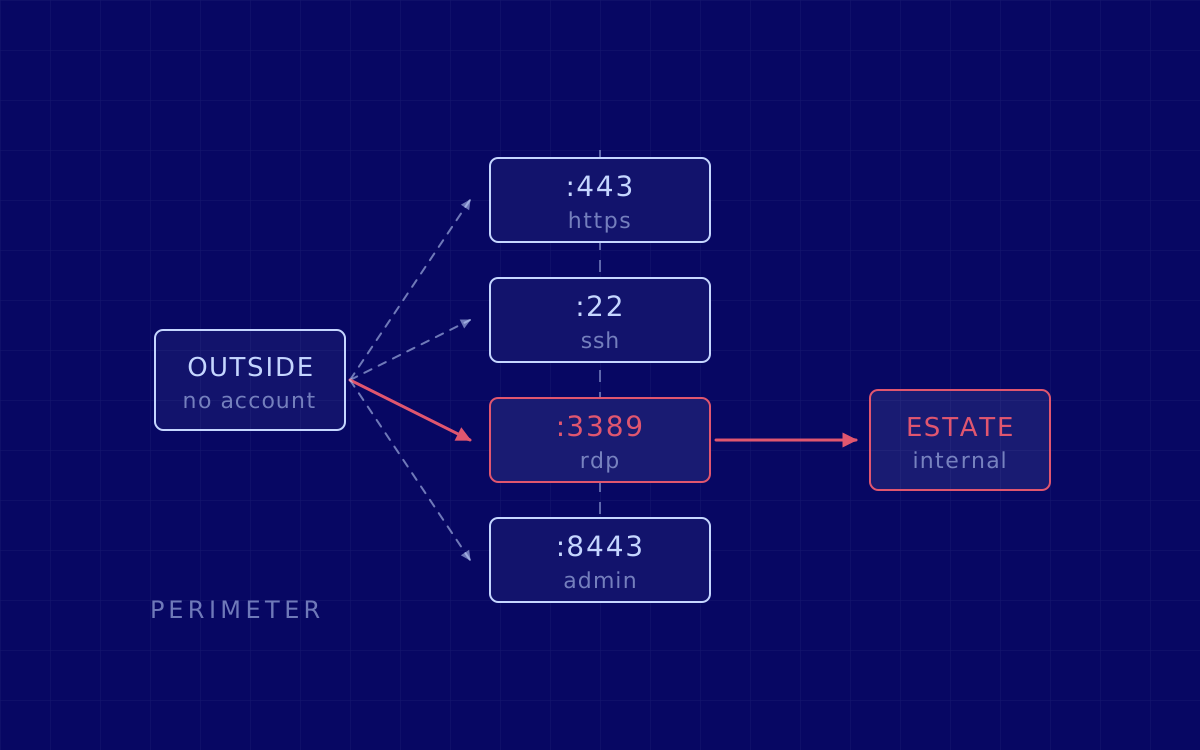
That exposure does not stop at the perimeter. Of the ten most common cybersecurity misconfigurations NSA and CISA report from their red and blue team assessments, four describe the inside of the network rather than its edge: insufficient internal network monitoring, lack of network segmentation, poor credential hygiene, and improper separation of user and administrator privilege. An external test sees none of them.
What follows is the sequence of an internal network penetration test, in order.
Phase 1. Starting point, scope and ground rules
Everything begins with a written agreement about where the test starts. Three starting points cover most engagements, and the choice changes the test:
- Unauthenticated on the network. A switch port on a VLAN, or a VPN profile, and no credentials. What an intruder gets from a rogue laptop or a compromised printer.
- Standard domain user. One ordinary account, no special rights. The most useful default, because it is what a phishing click produces.
- Managed workstation. A build identical to your staff’s, agent and policies included. This one also tests your endpoint controls.
The rules of engagement then fix everything the test is not allowed to improvise. NIST puts that in the planning phase and is blunt about the order: no actual testing occurs in that phase.
What the rules of engagement have to settle
Ranges and domains in scope. Systems nobody touches: life-safety equipment, industrial control, the legacy host that falls over when scanned. Test windows. Whether your security team is told. Whether the endpoint agent stays enabled. And the stop conditions that end the test in five minutes.
What you need ready before day one
Whether a test starts on Monday morning or Wednesday afternoon is logistics, not security:
- Network access tested end to end: VPN profile, jump host, or a port on the right VLAN.
- The agreed accounts, enabled and not expiring halfway through, and the ranges in scope with anything excluded named as excluded.
- A technical contact who can answer the same day, and an out-of-hours escalation.
- A decision on the endpoint agent: allowlist the testing host, or leave detection live and accept that some techniques get blocked. Both are legitimate; the report records which you chose.
- Written authorisation from whoever owns the infrastructure when it is not you: a landlord, a provider, a colocation contract.
Phase 2. Reconnaissance from inside the perimeter
With the foothold agreed, the first job is an accurate picture of what the network trusts. Host discovery and service enumeration across the ranges in scope. File shares, and what can be read without credentials. Printers, hypervisors and management interfaces still answering to their defaults. Then, once a domain account is in play, the directory itself: users, groups, group policy, service accounts, delegation and trusts.
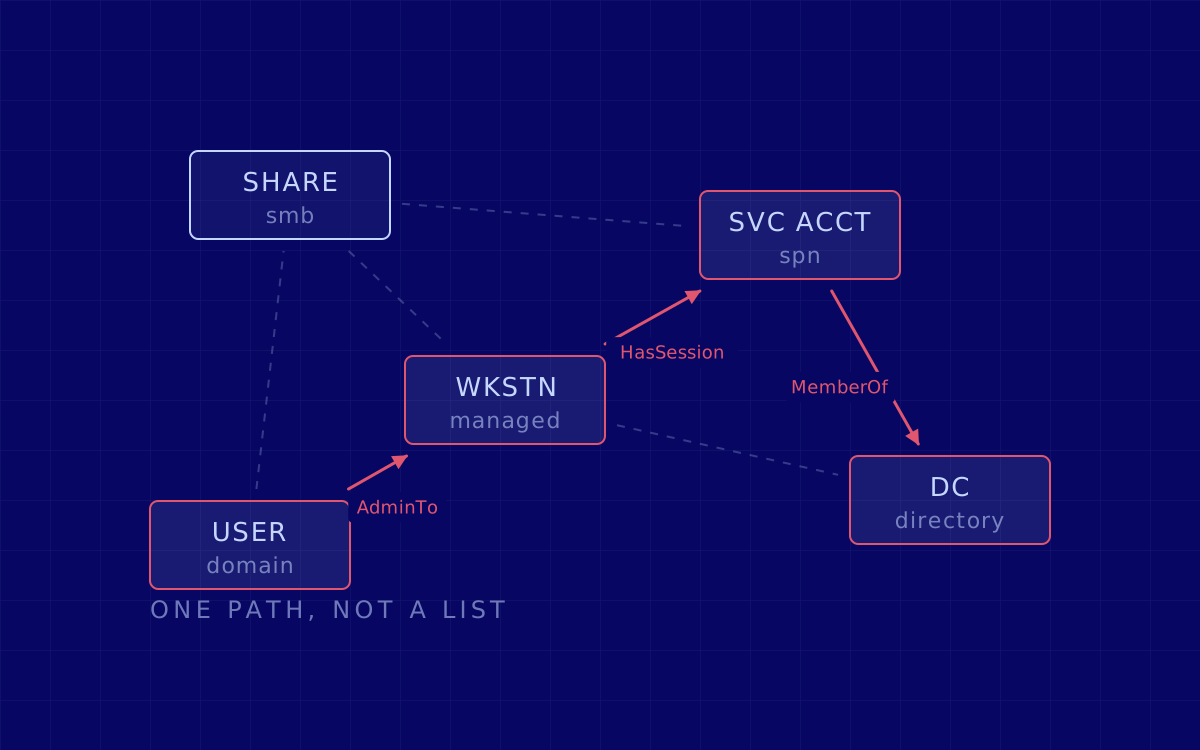
The output is a graph, not a list. Which account can log into which machine, which of those machines a privileged account used recently, and which chains of individually reasonable permissions end somewhere that matters. That graph is the difference between "you have 400 vulnerabilities" and "these three permissions, in this order, reach your finance database". Ranking routes by what they reach is also how you learn where network segmentation actually stops a route.
Phase 3. Identity, credentials and Active Directory
This phase belongs to an internal test and to no other kind: it looks at the identity fabric every application on the estate defers to, and on Windows that means Active Directory.
None of it is improvised. MITRE ATT&CK’s Credential Access tactic lists 17 techniques and Lateral Movement lists nine. The handful that decide most internal engagements:
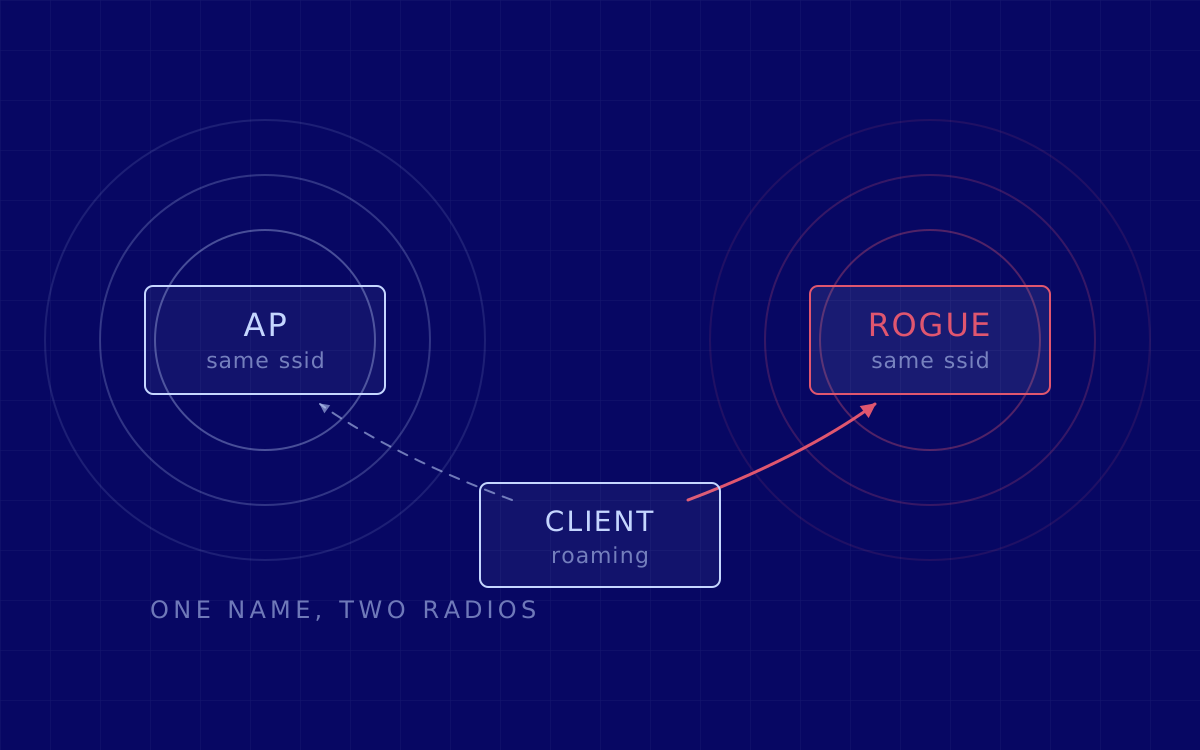
- Name resolution poisoning and relay. Legacy broadcast protocols answer for names that do not exist, and the authentication that follows is relayed to another host (T1557.001), better known as NTLM relay. Whether it works comes down to message signing and to who is a local administrator where.
- Kerberoasting (T1558.003). Any domain user can request a service ticket for a service account and attack it offline, with nothing on your network to see.
- Password spraying (T1110.003). One plausible password against every account, slowly, under the lockout threshold.
- Credential dumping (T1003). Material left in memory on a host where administrative rights were already obtained, or the directory database on a domain controller.
- Lateral movement with whatever that produced. Often no exploit at all: valid credentials, native tools, exposed remote services (T1210), and reusing a password hash rather than cracking it.
The preview is public: ASD’s ACSC, with CISA, NSA and partners, published Detecting and Mitigating Active Directory Compromises in September 2024, covering the 17 most common techniques used to compromise Active Directory and the mitigation for each.
Phase 4. Exploitation, proof, and how far it goes
Nothing is a finding until it is verified. NIST SP 800-115 draws the line plainly: a vulnerability scanner checks only for the possible existence of a vulnerability, while the attack phase of a penetration test exploits it to confirm that it exists.
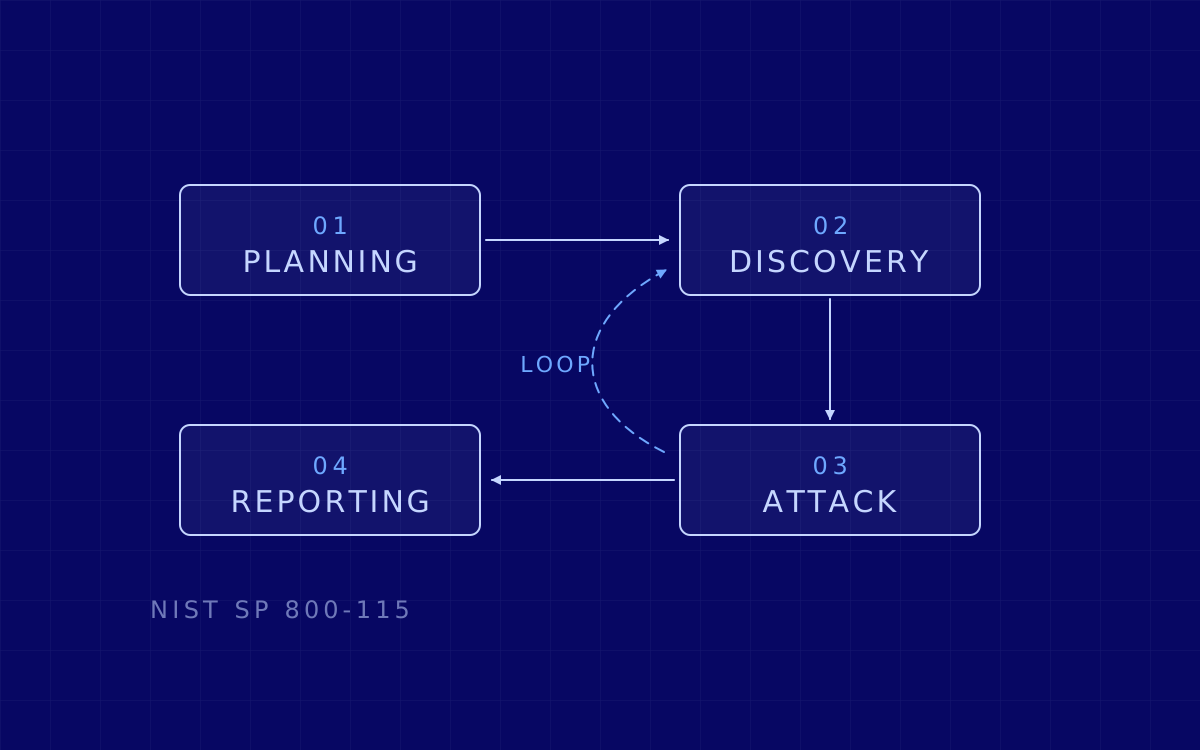
Success feeds backwards: new credentials mean new access, which redraws the map and sends us back into reconnaissance. NIST draws that as a loop between the attack and discovery phases.
Privilege escalation is pursued to the level the rules allow: local administrator, then a route towards domain-wide control if the scope says so. Where full domain compromise is authorised it is proven once, through a controlled action agreed in advance, and then the chasing stops. Nothing is encrypted, nothing is deleted, no production data leaves your network, and every noisy action is timestamped so your defenders can see what they caught and what they missed.
Phase 5. What you get, and in what form
Deliverables, in the order people actually read them:
- An executive summary for someone with ten minutes and a budget decision, with the business consequence stated plainly.
- The attack path: the real chain from starting point to greatest impact, drawn, with the step where it could have been broken marked.
- Findings, each with severity, business impact, affected assets, reproduction steps, evidence and a specific fix. Not "harden Active Directory".
- A remediation plan ordered by how much attacker capability each fix removes per hour of work: this week, this quarter, architectural.
- The supporting data: hosts tested, what was reachable from where, which credentials were obtained, and the timestamps your detection team needs.
- A live walkthrough with your engineers, because the questions that matter get asked out loud.
A finding reads like this:
ID        INT-004
Title     Domain credentials captured and relayed to a file server
Severity  High   ·   Assets  [file server], [print server], 2 subnets
Impact    Local administrator on 2 servers; route to backup console
Fix       Enforce message signing; disable legacy name resolution
Retest    Same route re-run, closed against the same evidence
Phase 6. The retest, and what closure means
Fixes are verified, never assumed. A retest re-runs the specific route behind every finding you say is fixed, and closes it against the same standard of evidence that opened it. It is the only defensible answer to whether the remediation budget worked.
Some findings cannot be closed with a patch. Segmentation, privilege design and service account sprawl are projects, not tickets. Those get a plan and a date instead of a green tick, and the report says so.
How long it takes, and what moves the number
Any consultancy quoting a duration before seeing the estate is guessing. As a planning range, a single-site test against one domain typically needs one to two weeks of testing, with reporting after that and a retest later that costs a fraction of the original. What moves the number:
- Live host count, and how many sites those hosts sit in.
- Number of Active Directory domains and forests, and the trusts between them.
- Whether segmentation must be proven from several VLANs, which multiplies starting points.
- Whether operational technology or medical devices are in scope; they are handled far more slowly.
- Whether detection stays live. Working around a mature endpoint product is worth doing, but those hours come out of coverage.
- How much of the estate is legacy, and how many findings come back for retest.
The standards behind the method
Two documents give the engagement its shape. The Penetration Testing Execution Standard defines seven sections: Pre-engagement Interactions, Intelligence Gathering, Threat Modeling, Vulnerability Analysis, Exploitation, Post Exploitation and Reporting. NIST SP 800-115 describes four phases of penetration testing, planning, discovery, attack and reporting, with reporting running simultaneously with the other three rather than bolted on at the end. MITRE ATT&CK supplies the vocabulary, so a finding reaches your detection team named the way their tooling names it.
What does not apply matters just as much. The OWASP Web Security Testing Guide, the OWASP API Security Top 10 and MASVS are the right references for web, API and mobile testing. They are not the references for an internal network test.
What an internal pentest does not cover
The most useful paragraph in any introductory meeting is the one about limits.
- It is not a red team. Not covert, not driven by a single objective, and no physical intrusion or social engineering unless scoped separately.
- It does not test your perimeter, your cloud control plane or your applications in depth. Same estate, different tests.
- It is a snapshot. The estate as it was during the agreed window. A domain administrator created next month is not in this report.
- It does not grade your detection and response. It generates the telemetry and hands you the timestamps, but if the question is whether your team would notice, that is a purple team.
- It is not compliance evidence by itself. Whether a technical assessment satisfies a given obligation depends on what that obligation says about scope, frequency and independence.
- It does not fix anything. You get findings, a prioritised plan and a retest; the changes remain yours.
- Whatever was out of scope is untested, and untested is not the same as secure. The report states which is which, on purpose.
If this is the exercise your estate needs, here is how we run an internal network pentest.
Sources
- Verizon, 2026 Data Breach Investigations Report.
- NSA and CISA, NSA and CISA Red and Blue Teams Share Top Ten Cybersecurity Misconfigurations, AA23-278A, 5 October 2023.
- NIST, SP 800-115, Technical Guide to Information Security Testing and Assessment, September 2008.
- MITRE ATT&CK, Credential Access (TA0006) and Lateral Movement (TA0008).
- ASD ACSC with CISA, NSA and partners, Detecting and Mitigating Active Directory Compromises, 25 September 2024.
- Penetration Testing Execution Standard, main page.